Account Takeover: Warning Signs and How to Protect Your Account
Account takeover means someone else is operating your account using your credentials. This guide covers how it happens, the warning signs to watch for, what to do if you suspect it, and how to reduce the risk.

What Is Account Takeover?
Imagine a hotel key card that still worked after checkout. Whoever's holding it walks back into the room, opens the safe, charges room service to the account, and the front desk has no way of knowing it isn't you anymore. That's roughly what account takeover looks like online.
Someone else ends up operating with your credentials, and from the system's side, it just looks like you. A stolen password gets the door open in plenty of cases, sure, but it's far from the only route in. Compromised sessions, reused credentials pulled from an unrelated breach, malware sitting quietly on a device, these all lead to the same place.
So does account takeover always mean a hacker cracked some elaborate code? Rarely. Most cases trace back to something far more mundane, a password reused one too many times, a device left logged in somewhere it shouldn't have been.
Seeing how account takeover actually unfolds, rather than picturing some dramatic hack, tends to make the whole thing feel a lot more preventable.
Create an account and see what a genuine login and account interface actually look like.
Go to Pocket BrokerReading about this only goes so far. Seeing exactly what a genuine login and account interface look like beats imagining what might be fake.
The Pocket Broker quick start guide walks through what a real account and its actual interface look like.
How an Account Takeover Attack Happens
A handful of paths lead to the same outcome. Phishing tricks someone into handing credentials over directly. Stolen or reused passwords, often lifted from a completely unrelated breach, get tried against other accounts. Credential stuffing automates that same guessing game at scale. Malware quietly logs keystrokes or steals stored sessions. Social engineering talks a support line into resetting something it shouldn't. Different doors, same room on the other side, and each one falls under the broader umbrella of account takeover fraud.
Worth noting: none of these paths require a particularly sophisticated attacker. A lot of account takeover fraud runs on volume and recycled data, not custom-built exploits aimed at any one person specifically.
Create a Pocket Broker account directly through the official site, and you sidestep at least one common entry point: credentials typed into somewhere they shouldn't be.
From Stolen Credentials to Unauthorized Access
The general shape stays consistent regardless of the specific method: a login and password get compromised somewhere, that pair gets tried against other services, and once it works, the account's own features get used by whoever's now holding it. Thinking about account takeover prevention starts right here, at that specific handoff point between compromised credentials and actual account access.
Warning Signs of a Compromised Account
A few signs tend to show up when something's off. Unexpected password reset emails. Account details that suddenly look different. Activity nobody actually initiated. Sudden trouble logging in where none existed before.
Does spotting just one of these automatically confirm a takeover? Not on its own. Any single sign, in isolation, can have a mundane explanation too. Effective account takeover protection means noticing the pattern, not panicking at the first odd email.
Warning Sign | What It May Mean | What to Check |
|---|---|---|
Unexpected password reset email | Someone may have requested a reset without your knowledge | Whether you actually initiated it yourself |
Account details changed unexpectedly | Contact info or settings may have been altered by someone else | Current account details against what you remember setting |
Unfamiliar activity or actions | Actions may have been taken by someone other than you | Recent activity history for anything unrecognized |
Sudden login trouble | Credentials may no longer work as expected | Whether a password or access issue has a simpler explanation first |
What to Do If You Suspect Account Takeover Fraud
A specific sequence helps here, not a scramble:
Skip any link in a suspicious message entirely
Open the official site directly yourself instead
Check the account's current access and details firsthand
Change the password if anything looks even slightly off
Secure the connected email account too, since it often controls password resets elsewhere
Reach out through an official support channel if anything still feels unresolved
Does working through this list guarantee every consequence gets erased? No single step promises that. What it does is close the gap faster than sitting on suspicion, and an account takeover attack caught early tends to leave a lot less damage behind than one left to run.
Account Takeover Prevention: How to Reduce the Risk
A handful of habits genuinely move the needle:
Use a unique password for every separate account
Never reuse the same password across multiple services
Stay skeptical of messages pushing urgency around login or security
Use an additional authentication factor wherever it's actually offered
Keep the connected email account and devices themselves secured
Never hand credentials over to anyone else, for any reason
Grasping what is account takeover really means in practice, and building these habits around that understanding, does more for actual protection than memorizing a list of attack names ever could.
Passwords, 2FA, and Account Takeover Protection
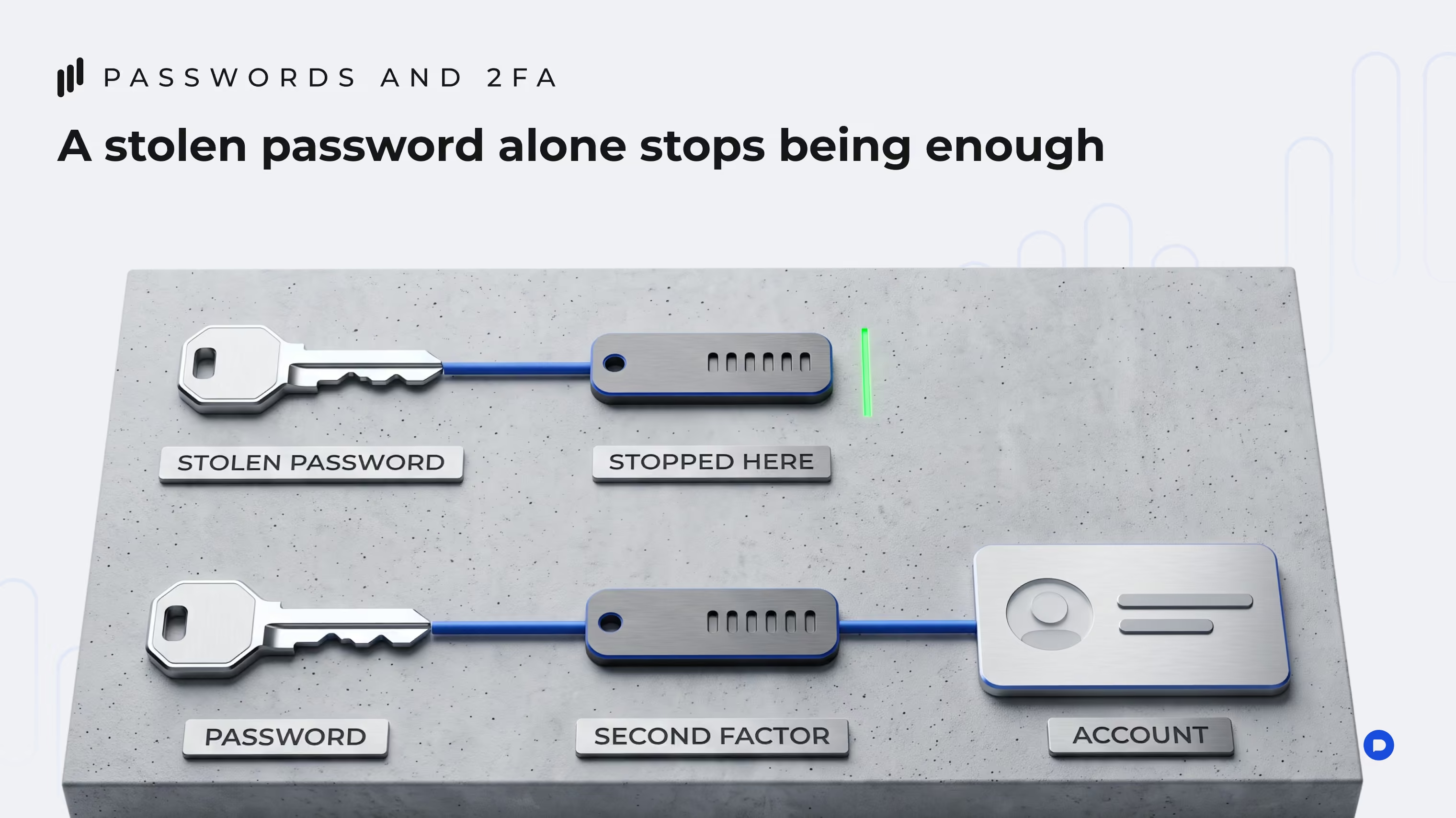
A unique password closes off the most common entry point on its own. Adding a second, independent authentication factor closes off another, since a password alone stops being enough once that second piece gets required too. Neither one eliminates risk completely, and neither one gets confirmed here as a specific feature available on any one platform without official confirmation first. A compromised account becomes measurably harder to reach with both pieces in place, not impossible, just harder.
Risk Disclaimer: Trading involves significant risk of capital loss. This article is for educational purposes only and does not constitute financial advice. Always conduct independent research and consider your risk tolerance before making any trading decisions.
See more:Regulation & Safety